
QR Scanner: Reader & Generator
QR reader and creator
Scan QR codes, generate useful codes, organize favorites, and quickly open or share the information you need.
Scanner
Generator
Favorites
Official product and support hub
Browse current apps, feature previews, support contact information, and policy links from one official destination.
QR reader and creator
Scan QR codes, generate useful codes, organize favorites, and quickly open or share the information you need.
Launcher and Wi-Fi toolkit
Blend a cleaner Android launcher home with Wi-Fi map browsing, speed testing, analyzer tools, password generation, widgets, and floating tools.
PDF reader, scanner, editor, and converter
Preview and edit PDFs, open Word and Excel files, scan documents into PDFs, convert office files to PDF, and protect files with PDF encryption tools.

Junk cleaner, file browser, and device monitor
One-tap junk cleaning, live device and battery monitoring, file browsing, and a floating quick-sweep ball for Android phone care.
A practical QR code reader and generator for websites, Wi-Fi, contacts, text, email, SMS, calendar entries and everyday sharing.
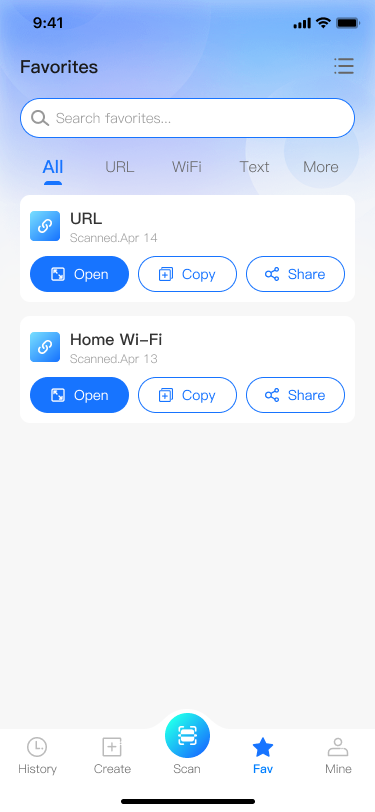
QR Scanner features
Simple tools for scanning, generating, copying, sharing, and managing QR code content.
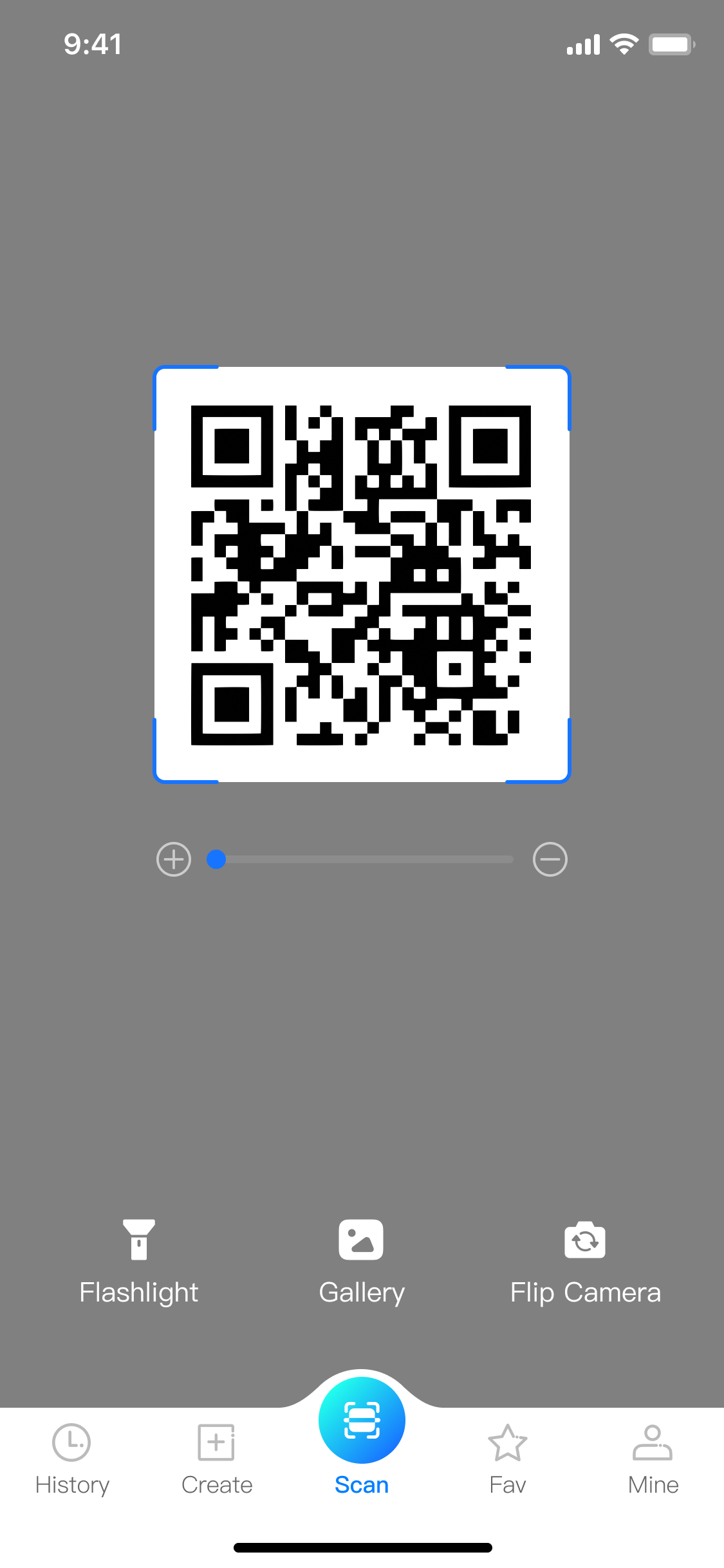
Scan QR codes with a clean camera interface, flashlight access, gallery import, and camera switching.
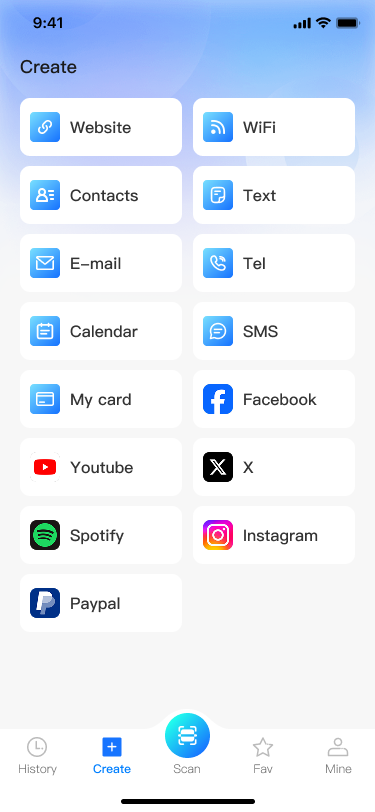
Create QR codes for websites, Wi-Fi, contacts, plain text, email, telephone, calendar events, SMS, and more.
Keep frequently used results organized, then open, copy, or share saved codes whenever you need them.
Act on scanned content immediately with practical shortcuts that save time in daily workflows.
WiFi Launcher: Map Tool blends a cleaner launcher home with practical Wi-Fi tools, making network discovery, signal review, speed testing, and quick launcher actions feel like one connected Android experience.
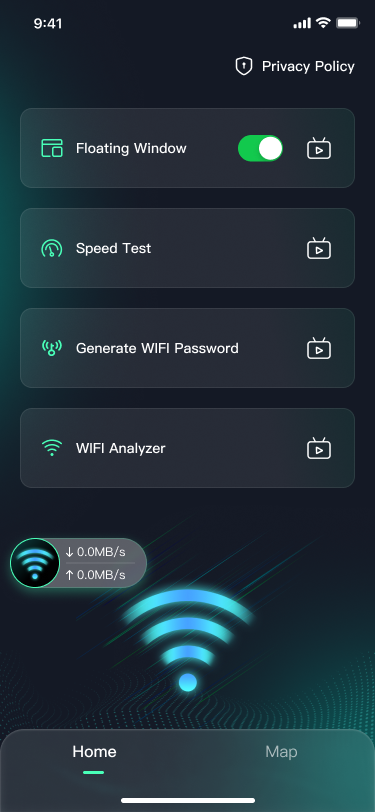
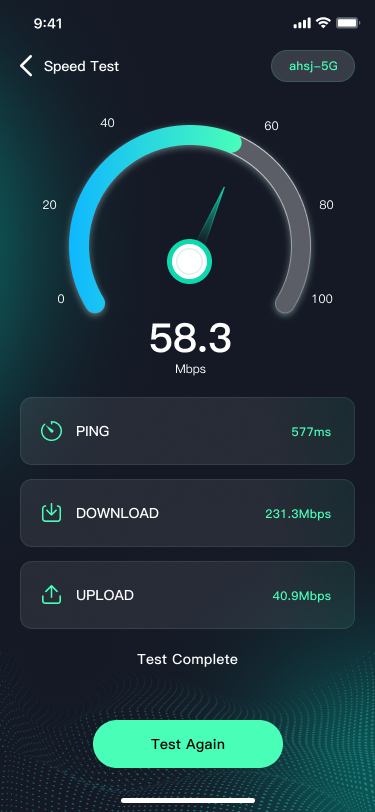
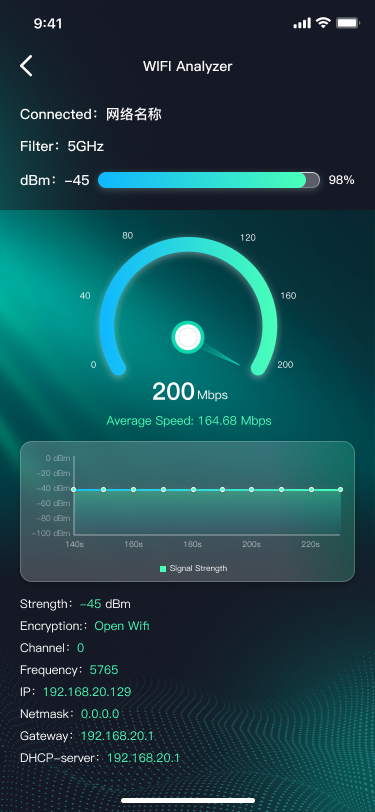
WiFi Launcher features
Capability clusters are grouped around real usage moments: launcher setup, nearby Wi-Fi access, network readability, and fast utility actions.
Use the app as your Android launcher and access app drawer behavior, wallpapers, widgets, and desktop-level shortcuts from the same surface.
Move from nearby network browsing into deeper signal and channel information without switching product context.
Measure ping, download, and upload performance with a result flow that is easier to read at a glance.
Create Wi-Fi passwords with adjustable rules and keep lightweight network tools visible above launcher or app screens.
The launcher home, app drawer, widgets, and wallpaper tools depend on Android launcher behavior. If you do not set the app as the default launcher, some launcher functions may be limited.
Android may require location permission for Wi-Fi scanning, nearby network discovery, and map-related Wi-Fi features. If permission is denied, related functions may not work as expected.
This permission is used for the floating window feature. If you do not enable it, the floating network status window cannot appear above other apps.
Yes. Some screens and feature flows may include advertising placements. Please review the Privacy Policy for more information about third-party services and advertising providers.
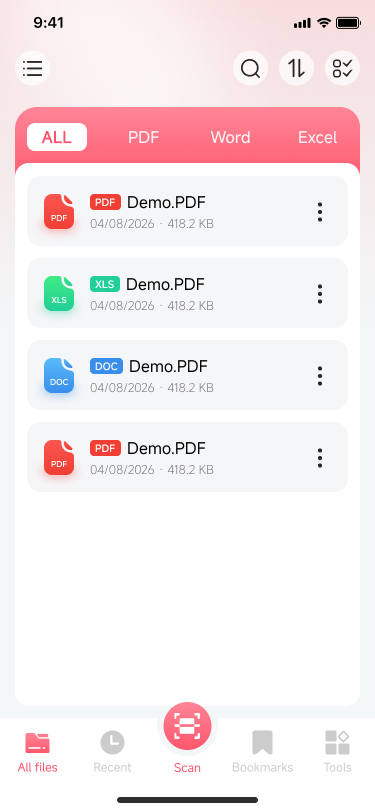
PDF Scanner: Reader&Converter brings PDF preview, editing, scanning, conversion, and file protection tools into one focused document workspace.
PDF Scanner features
A practical document toolkit for everyday PDF workflows, with Office file preview and conversion support.
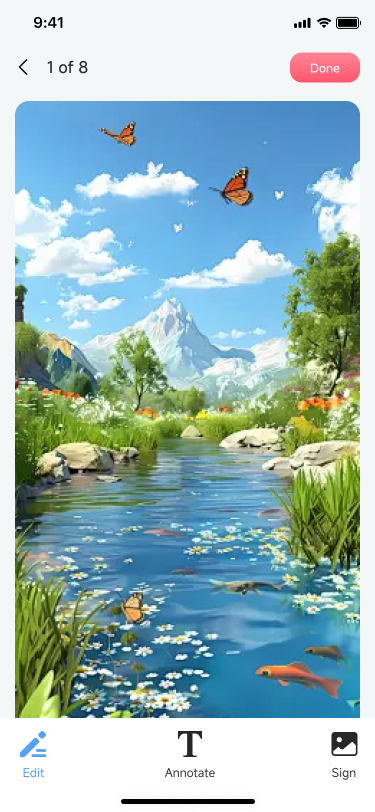
Open PDF files, preview pages, edit documents, annotate content, add signatures, and manage common PDF actions from a clean mobile interface.
Browse and preview Word and Excel files alongside PDFs, so important documents stay visible from the same file workspace.
Use the built-in scanner flow to capture paper documents, organize pages, and save them as shareable PDF files.
Convert supported Word and Excel documents into PDF format for easier sharing, archiving, and cross-device viewing.
Protect sensitive PDF files with password encryption, or decrypt accessible files when you need an unlocked working copy.
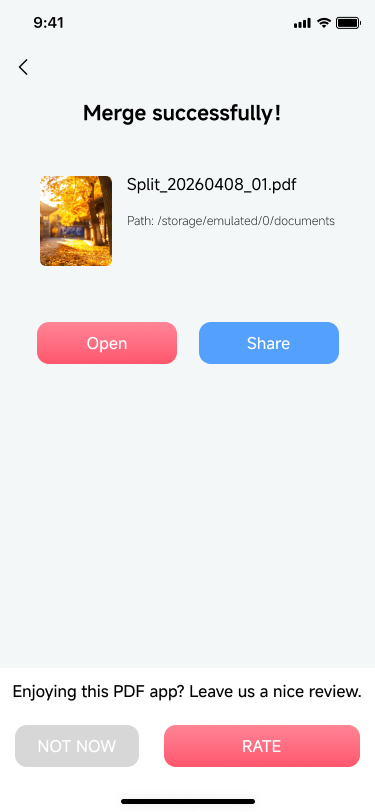
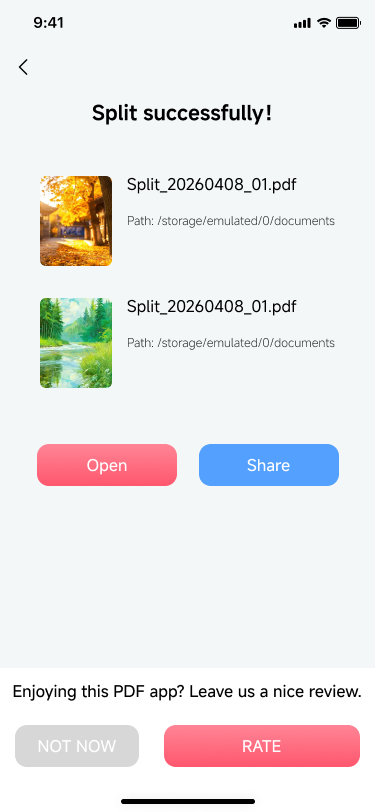
Complete document tasks with clear success screens, then open the result or share it directly from the app.
One-tap junk cleaning, live device and battery monitoring, file browsing, and a floating quick-sweep ball. Everything you need to maintain your Android phone in one lightweight app.
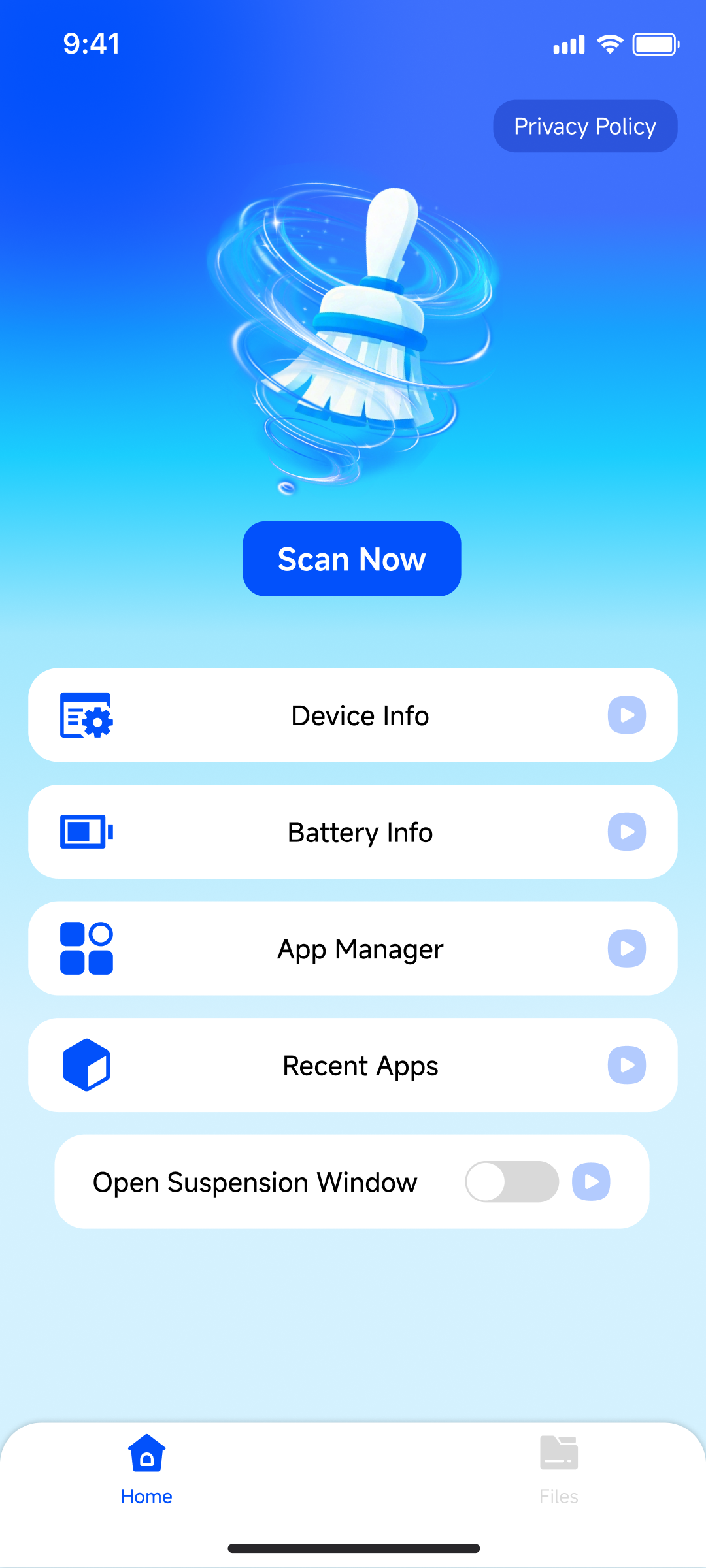
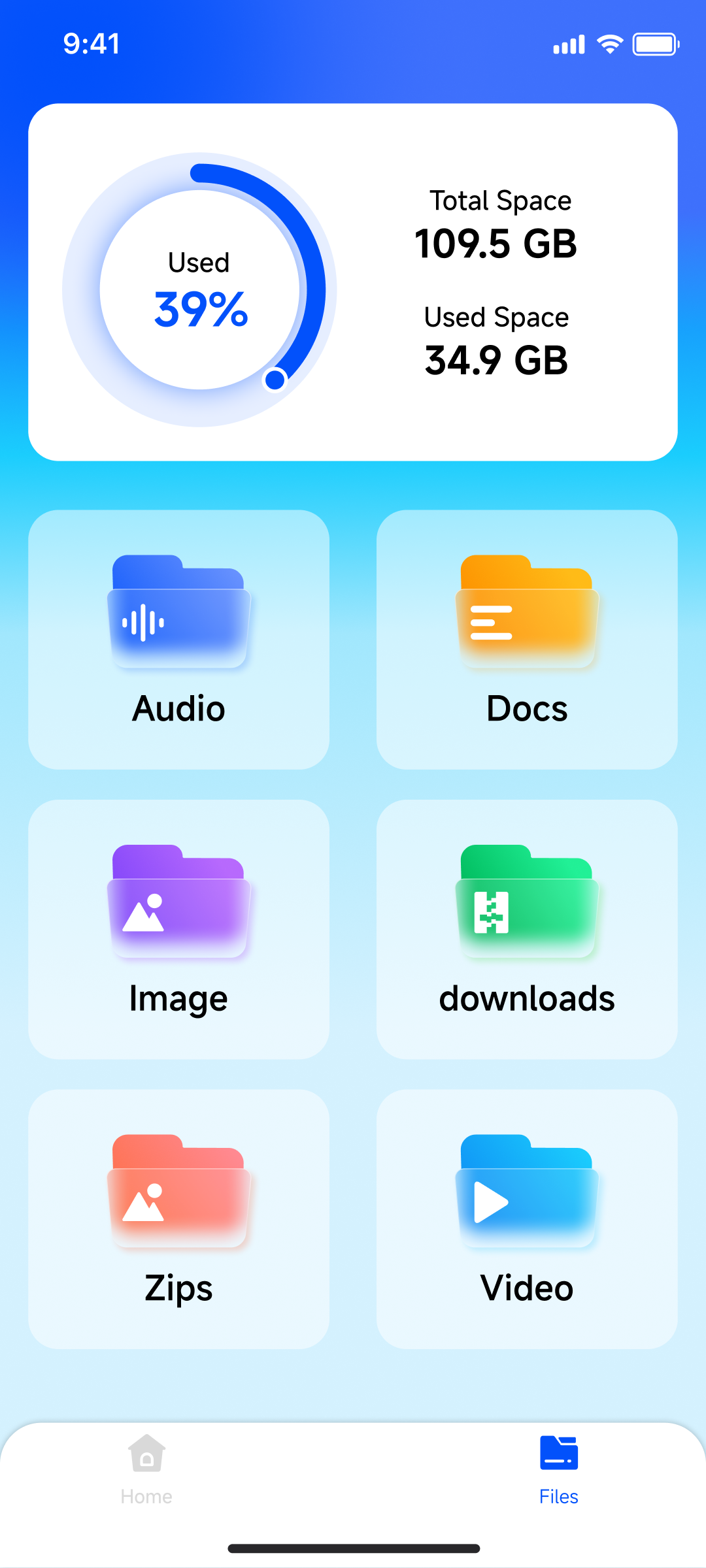
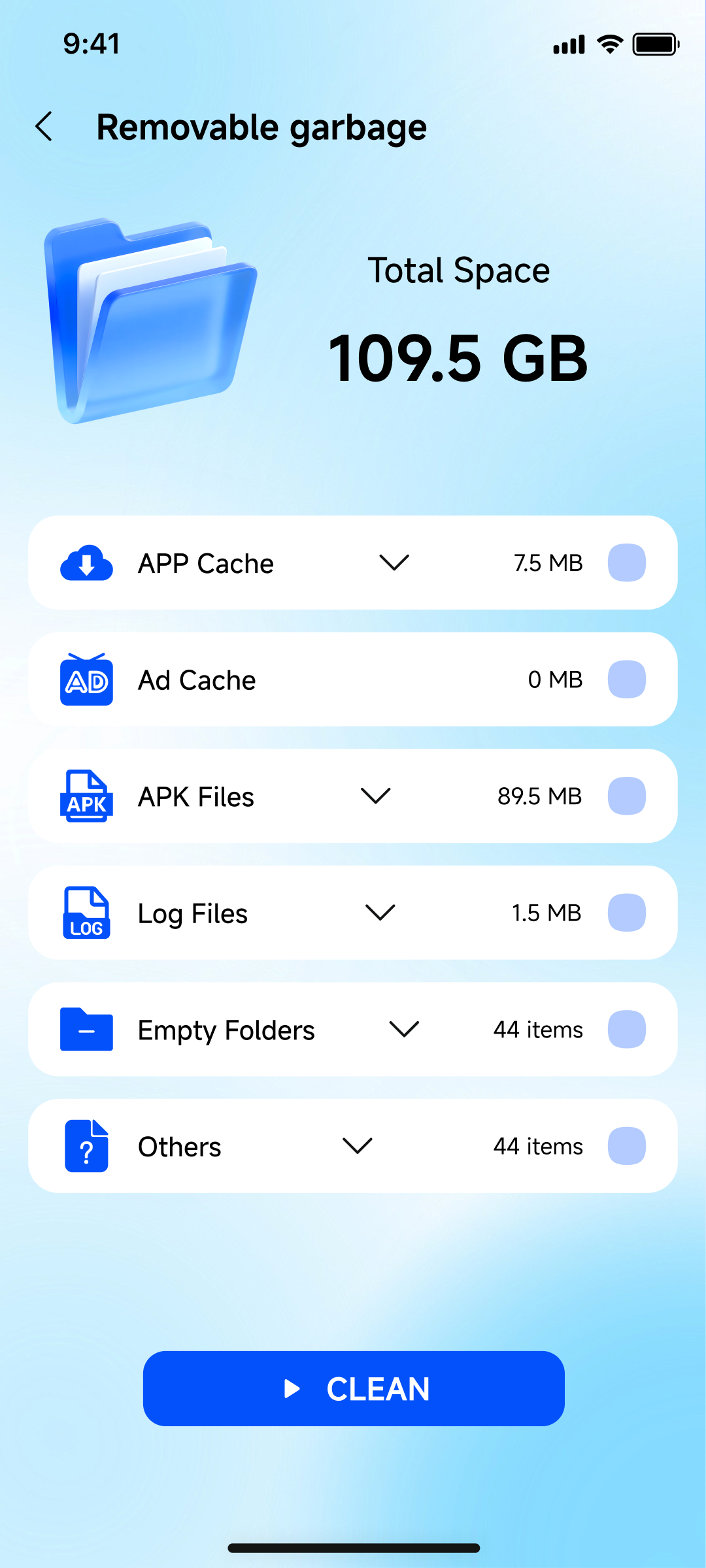
Files Clean features
Capabilities are grouped around real cleaning moments: one-tap junk removal, file browsing, live device and battery monitoring, and a floating quick-sweep shortcut for any screen.
Scan and clear app cache, ad junk, APK installers, log files, empty folders, and other unused files. Smart defaults select safe junk for you.
Browse Audio, Docs, Images, Downloads, Zips, and Videos from one workspace. Share, rename, open, or move files to trash in one tap.
Live RAM, storage, sensor support, battery health, capacity, voltage, temperature, and charging status, auto-refreshed every few seconds.
Browse installed apps sorted A-Z, Z-A, newest, or oldest. Uninstall in one tap and review app launches and usage time.
Pin a tiny trash bin above any app. Drag it anywhere on screen and tap to sweep junk without leaving the app you are in.
Optionally set Files Clean as your default launcher and customize with built-in wallpapers, widgets, and a clean app drawer.
Files Clean offers an optional launcher home with built-in wallpapers, widgets, and an app drawer. If you do not set it as the default launcher, the cleaning, device info, file browser, and floating sweep features still work, but the launcher home experience will not be available.
All files access is required to scan junk files across your device and to browse files in the built-in file browser. Without this permission the junk sweep and file browser features cannot display real data.
This permission powers the floating quick-sweep ball, which lets you trigger a junk sweep from above any app screen. If you do not enable it, the floating ball will not appear.
Usage access is required to show recent app launches, foreground time, and background time inside the Recent Apps view. Without this permission the Recent Apps feature will display an empty state.
Yes. Files Clean is supported by in-app advertising, including banner, native, and interstitial ads. There are no subscriptions or in-app purchases. Please review the Privacy Policy for information about third-party advertising providers.
Support and legal information
For feedback, app issues, privacy requests, or legal inquiries, contact the developer by email.
QR Scanner: Reader & Generator, WiFi Launcher: Map Tool, PDF Scanner: Reader&Converter, and Files Clean: Junk File Sweeper are published by Jia He Ju.
liissupperman@gmail.comReview the user agreement and privacy policy for QR Scanner: Reader & Generator.
Review the user agreement and privacy policy for WiFi Launcher: Map Tool.
Review the user agreement and privacy policy for PDF Scanner: Reader&Converter.
Review the user agreement and privacy policy for Files Clean: Junk File Sweeper.
Send feedback, app issues, privacy requests, or legal questions to the official developer contact.
Contact Developer